One control plane for every privileged access.
People, workloads and the accounts they use, under one policy and one console, with every step audited.
What stands between you and zero standing privilege
The problems a privileged-access programme runs into, as teams describe them.
Passwords that never change
Root and Administrator passwords sit in spreadsheets, scripts and chat. Anyone who has ever seen one still has it.
Access nobody revokes
Access granted for an incident stays long after it closes. A review finds it months later, if at all.
Secrets shipped to machines
A service starts with a password in an environment variable or a file. The secret is copied before the service even runs.
Shared accounts nobody can attribute
Five people know the Administrator password. The log says Administrator signed in, and nothing more.
Emergency access without limits
Break-glass accounts are shared and rarely reviewed, because the alternative is being locked out when it matters.
Evidence assembled by hand
An auditor asks who can reach what. The answer is a spreadsheet built from six systems the week before the audit.
What ships in this release
As at 15 October 2026. Supported systems lists every system with what Zerostand can do to it, including what is not available yet.
Zero standing privilege
Every credential Zerostand issues has an expiry, so there is nothing left behind to revoke.
- Access that expires without anyone remembering to revoke it
- Shared accounts checked out by one person at a time
- Passwords revealed only with a reason, then rotated after a grace period you set
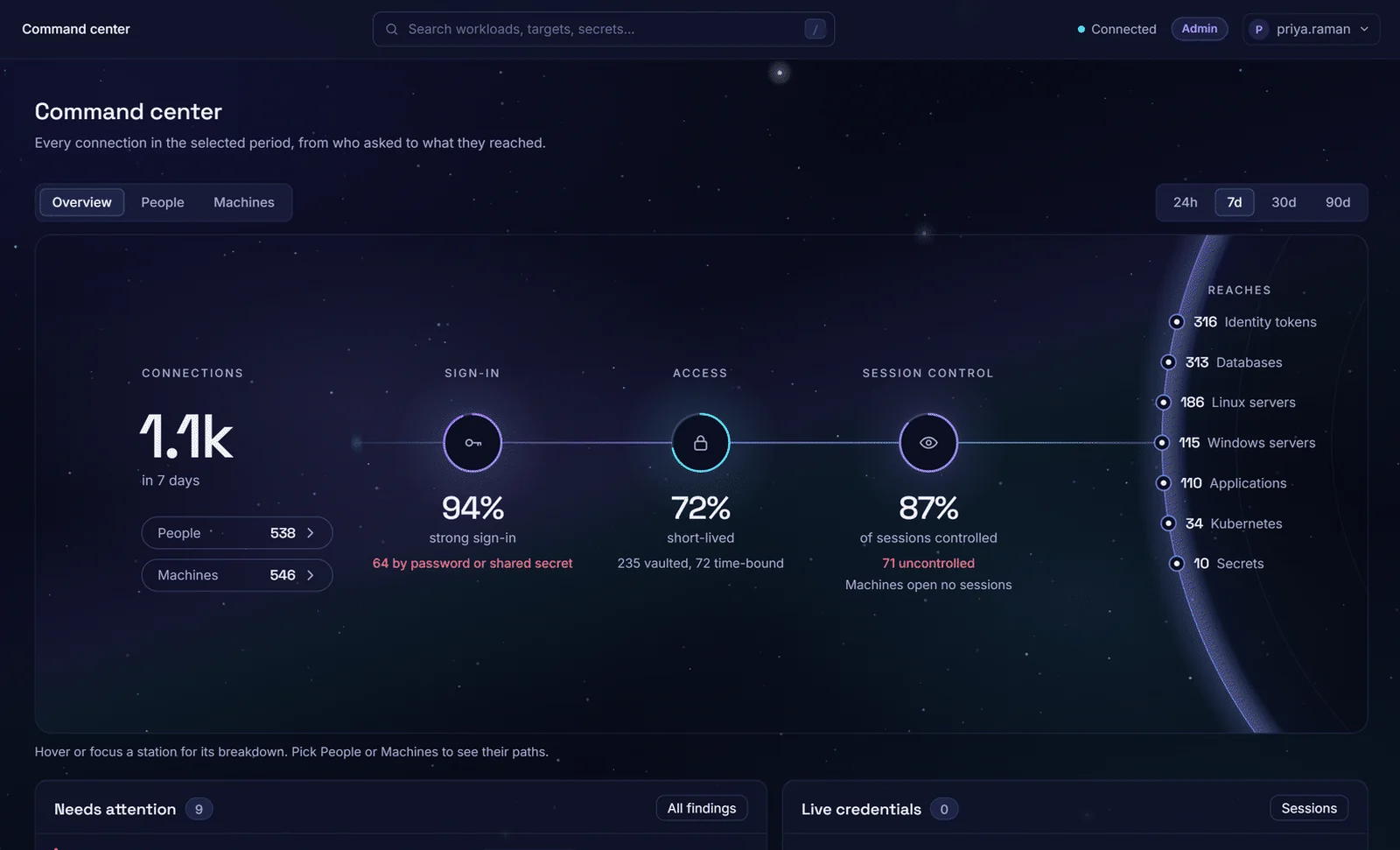
The Command center: who signed in how, what was short-lived, what was controlled.
Workload identity
A service proves what it is with the identity its platform already gives it. No secret needs to be shipped to it first.
- Services prove who they are with the identity their platform already gives them
- Trust rules enrol a whole fleet at once
- The Go client refreshes credentials before they expire
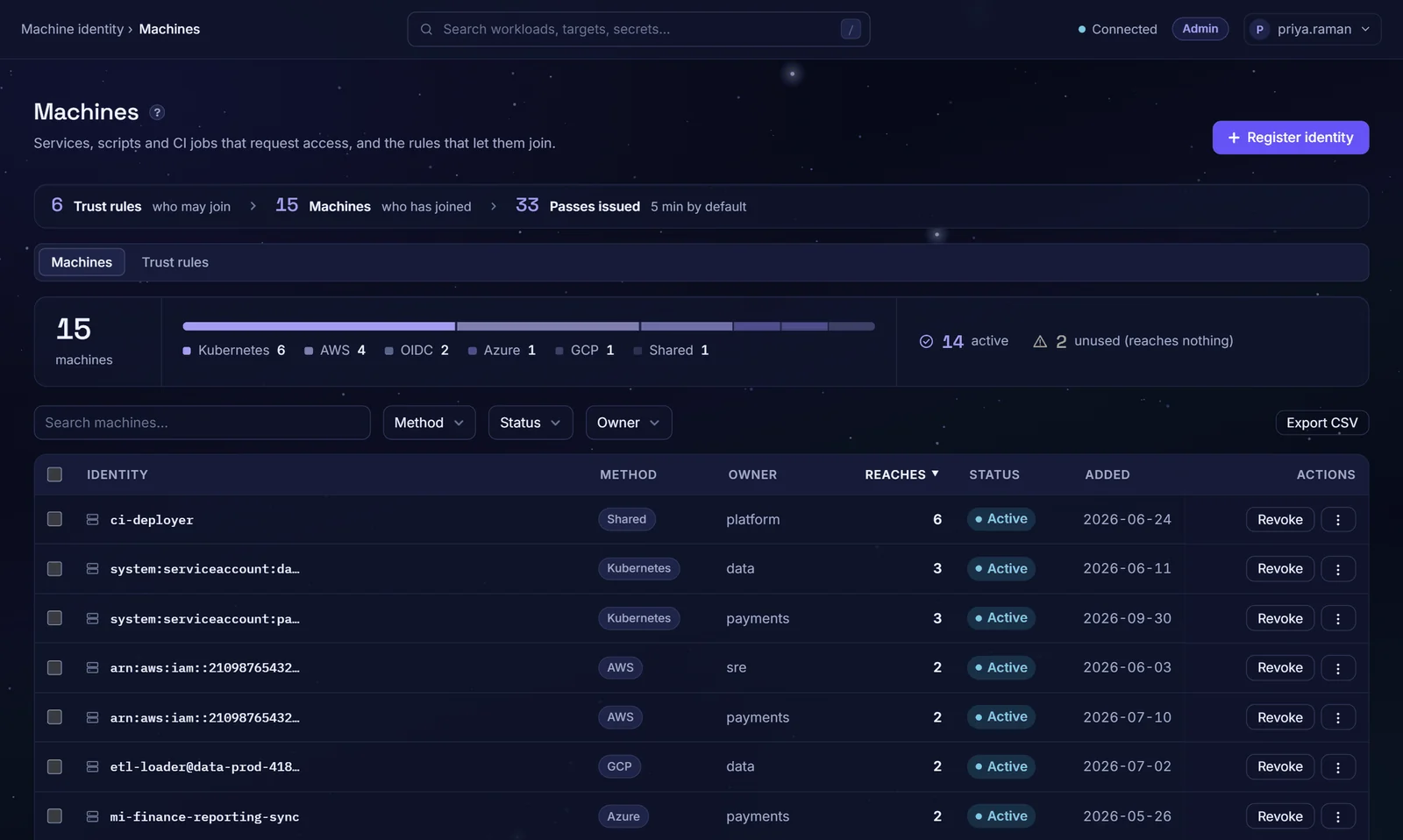
Machines and the trust rules that let them join, by attestation method.
Approvals that expire
Request in context, see who must approve, approve out of band, and land on the credential the moment it is granted.
- Approval chains, access windows and, when you connect ServiceNow or Jira, a ticket checked live before the grant
- Step-up MFA on the targets that warrant it
- Break-glass for named people, capped in time and audited; approvers and administrators notified by email
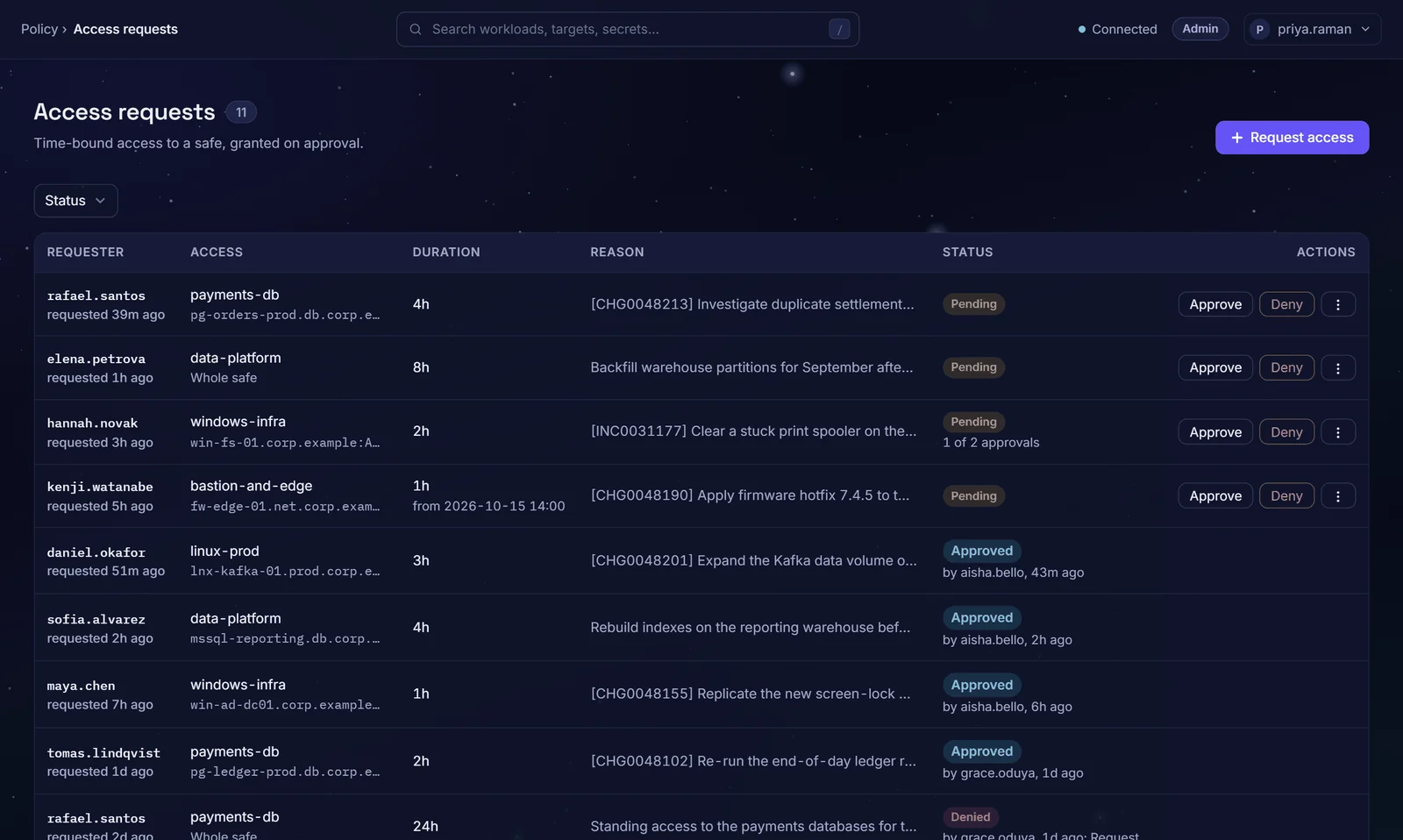
Access requests with tickets, durations, approval chains and decisions.
Vaulted accounts, rotated and verified
For the logins you cannot remove yet. Safes hold them; the rotation engine keeps them changing and proves they still work.
- Rotated on a schedule, verified to still work, reconciled when they drift
- Policy per platform, overrides per account, a transcript of every step
- Unusual targets rotated through a drop-in handler
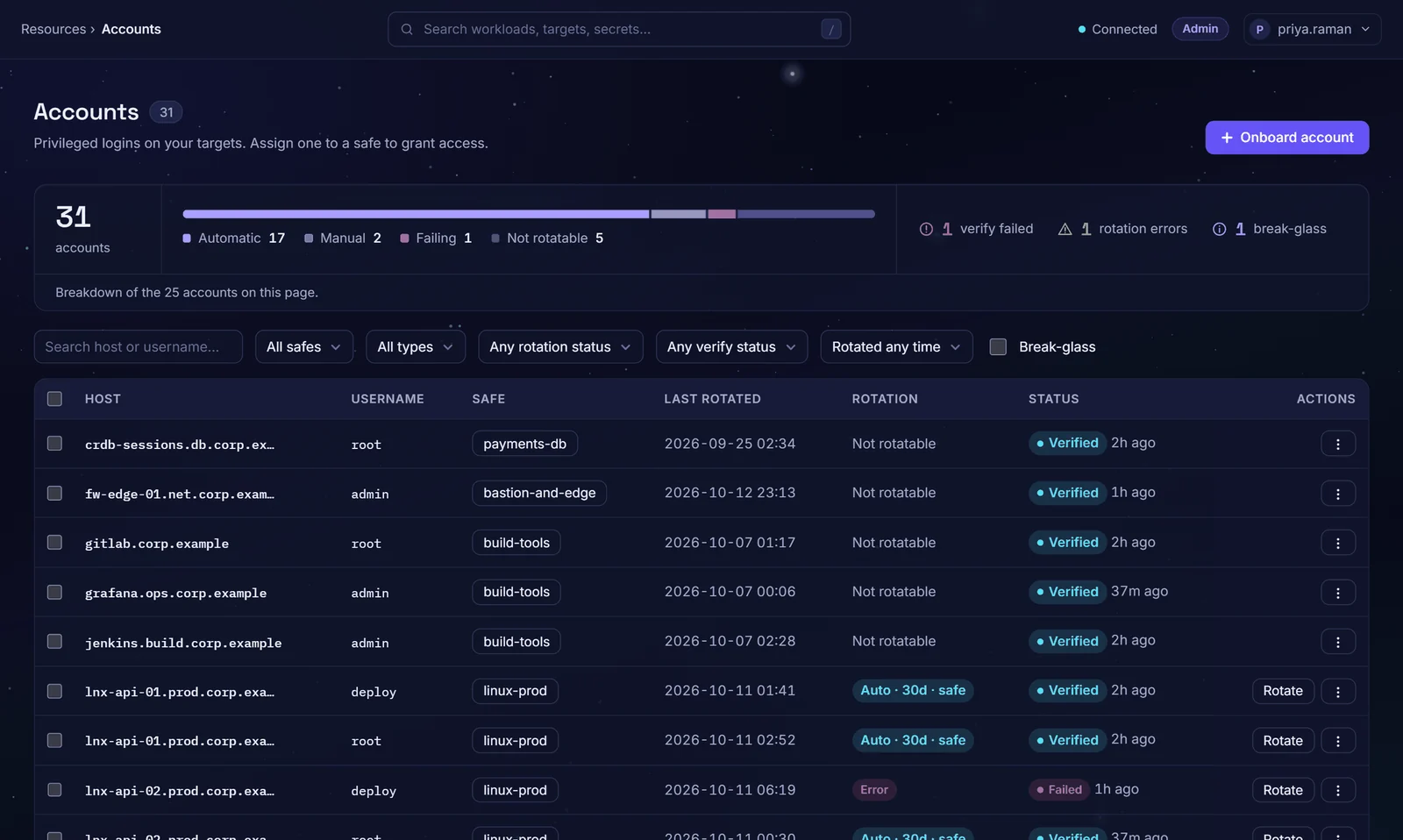
Vaulted accounts with rotation policy and verify status, failures included.
Sessions, brokered and recorded
Users connect through Zerostand without seeing the password; revealing one takes a reason and is followed by a rotation. Sessions are recorded by default and can be replayed or cut.
- Server, database and web sessions recorded and replayable
- Watch SSH sessions live; terminate any session
- Retention you set
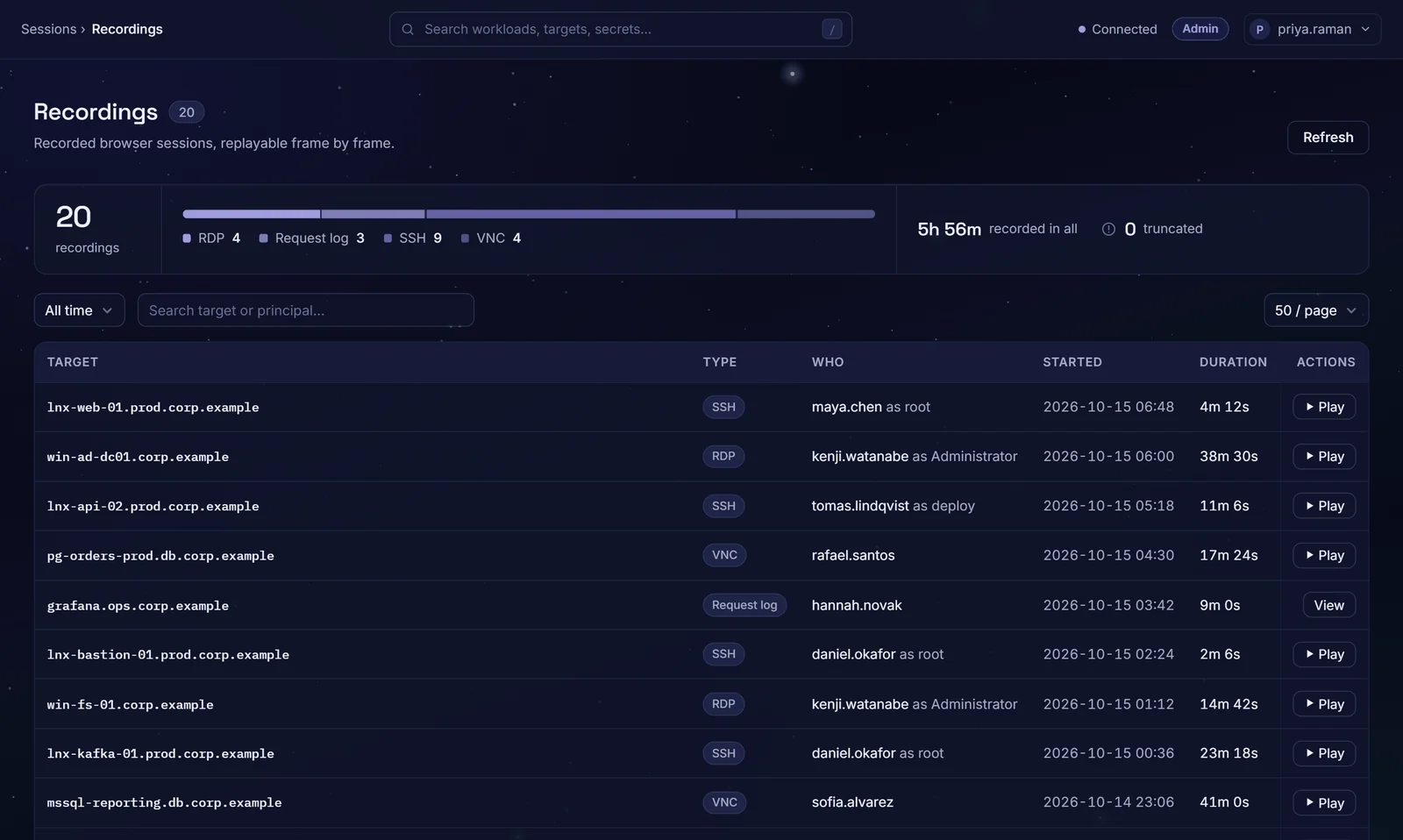
Recorded sessions: who, as which account, when and for how long.
Governance built in
See what is ungoverned, recertify what is granted, and prove it to an auditor from the console.
- Find accounts on your servers and databases that sit outside any safe
- Recertify grants in campaigns, with evidence you export
- Walk the access graph; export the entitlements report
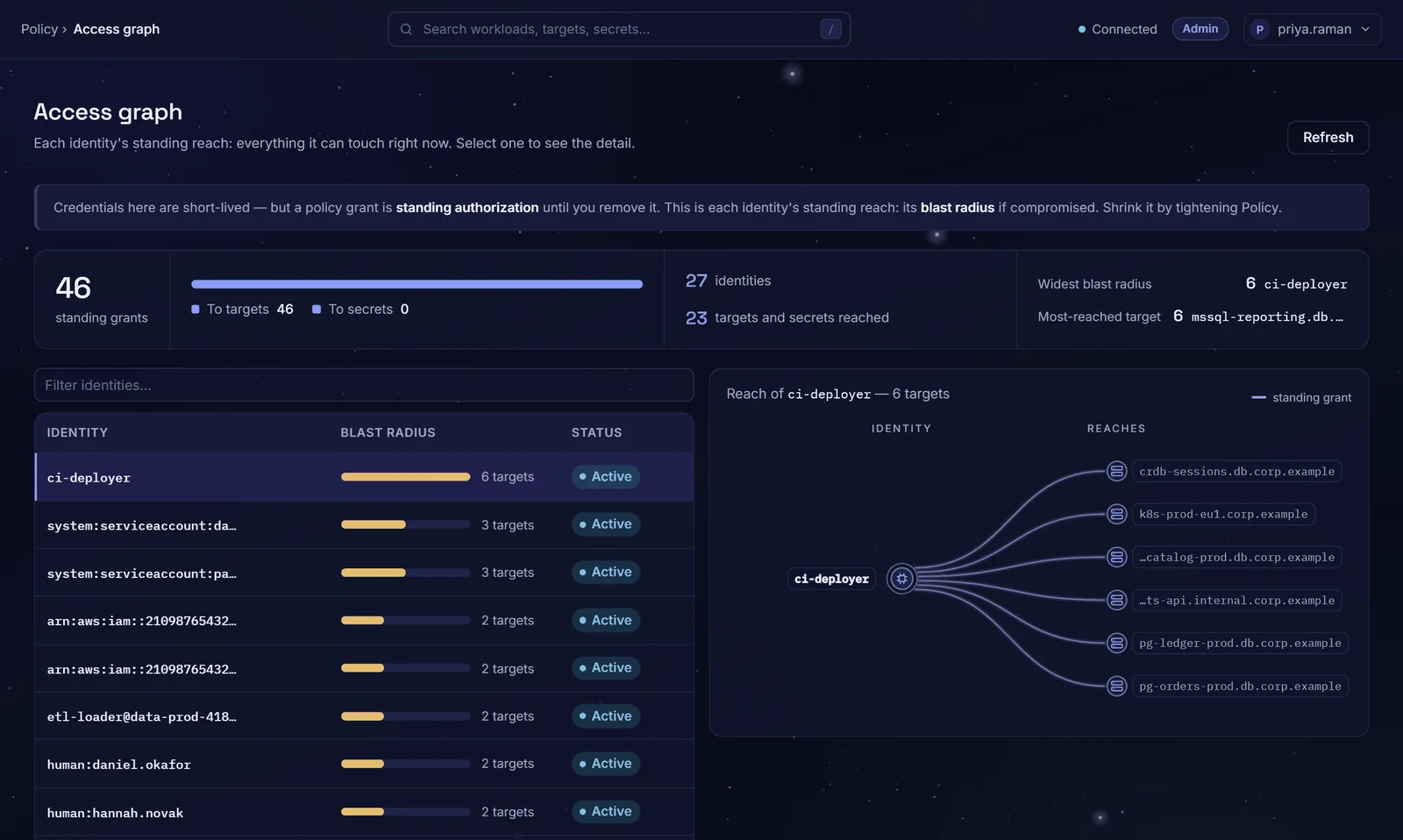
The access graph: every identity's standing reach, widest first.
See Zerostand on your own targets
Thirty minutes with an engineer. We connect a server and a database you choose, and you watch access get granted, used, recorded and expire.
- A person connecting to a server with an SSH certificate that expires
- A one-time database login, approved in context, recorded, revoked at the hour
- A workload attesting with its Kubernetes identity and receiving a credential
- A vaulted account rotated, verified and reconciled while you watch
Request sent.
We will reply from a named engineer, usually within one working day, with a few times to choose from.
Questions buyers ask about the platform
How is zero standing privilege different from just-in-time access?
Just-in-time access grants privilege when it is requested. Zero standing privilege goes a step further: nothing is held between uses. Zerostand issues a credential with an expiry for each grant, so there is nothing to clean up afterwards, and the accounts that must keep a password live in a safe, rotated on a schedule, verified and reconciled.
Do we need to install agents on our servers and databases?
No. Targets are reached over the protocols they already speak: SSH, WinRM, RDP and the native database wire protocols. Linux servers need one sshd setting to trust the Zerostand certificate authority.
Where does it run, and what does it need?
As containers on infrastructure you control, on-premises or in your cloud. A production deployment uses PostgreSQL as the store, an active and a standby control-plane node, and a key-encryption key from a passphrase or HashiCorp Vault Transit; you switch these on at install. Secrets are stored and used on your infrastructure and are never sent to us.
How are the encryption keys held?
Vaulted secrets are envelope-encrypted. The key-encryption key comes from a passphrase your operators hold, or from your HashiCorp Vault Transit, where it is used inside Vault and never seen by Zerostand. The key-encryption key is never stored in the database. Cloud KMS and HSM support are on the roadmap.
Which systems are supported?
Linux over SSH certificates, Windows over RDP, PostgreSQL, MySQL, SQL Server, Oracle and MongoDB, Kubernetes, web consoles, and workloads on Kubernetes, AWS, Azure and Google Cloud or any OIDC issuer. What Zerostand can do differs by system, so Supported systems lists each one with its sessions, rotation, short-lived logins and discovery, and marks what is not available yet.
Can anyone still see a password?
Only when you allow it. Revealing a vaulted password takes a reason, is audited, and is followed by a rotation after a grace period you set. Brokered sessions sign the user in without showing the password.
How does it work with our identity provider?
People sign in with OIDC single sign-on from your identity provider, such as Okta, Microsoft Entra ID, Auth0 or Google, and are provisioned and deprovisioned by SCIM 2.0. MFA comes from your provider, from TOTP in Zerostand, or both, and step-up MFA can be required per target. SAML is not in this release.
How long does a proof of value take?
Four weeks, on a server and a database you choose, against success criteria agreed in writing first. You keep the evidence. The plan is on the proof of value page.
See it on your own targets
Thirty minutes. One server and one database you choose.