Privileged access, solved by use case.
Eight things a privileged-access programme has to do, the Zerostand capability for each, and the controls it helps you evidence.
Zero standing privilege for people and machines
Standing administrator rights outlive the task they were granted for. Zerostand issues access with an expiry for each grant, to people and workloads alike, and vaults only the accounts you cannot remove yet.
- Every grant Zerostand issues is a lease with an expiry, for people and workloads alike
- One policy engine and one console to request, approve, broker, record and audit access
- Shared root and Administrator passwords checked out by one person at a time; a reveal needs a reason and is followed by a rotation
Related controls: ISO/IEC 27001 A.5.15 · NIST AC-6 · DORA RTS Art. 21(a) · BNM RMiT S 10.54(c)
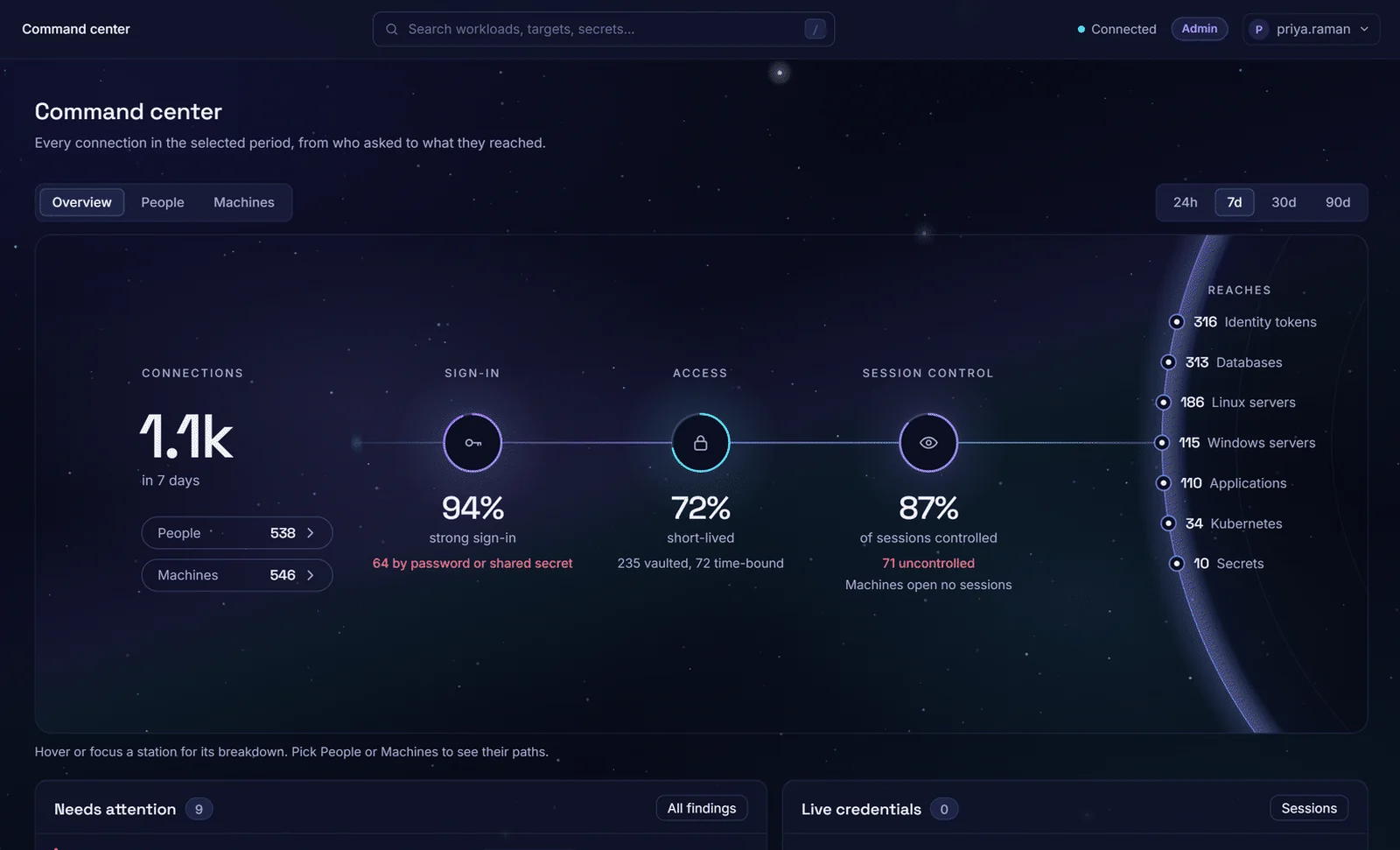
The Command center: who signed in how, what was short-lived, what was controlled.
Access when it is needed, gone when it is not
Access granted for an incident stays long after it closes. Zerostand grants it for a window, after the approvals you set, and ends it on its own.
- Approval chains per safe, M-of-N or sequential, with approvers notified by email
- A window you choose: starting now or at a scheduled time, for the hours the task needs
- A reason on every request and, when you connect ServiceNow or Jira, a ticket checked live before the grant
Related controls: BNM RMiT S 10.54(c) · MAS TRM 9.2.1 · DORA RTS Art. 21(e)(ii) · RBI Para 104
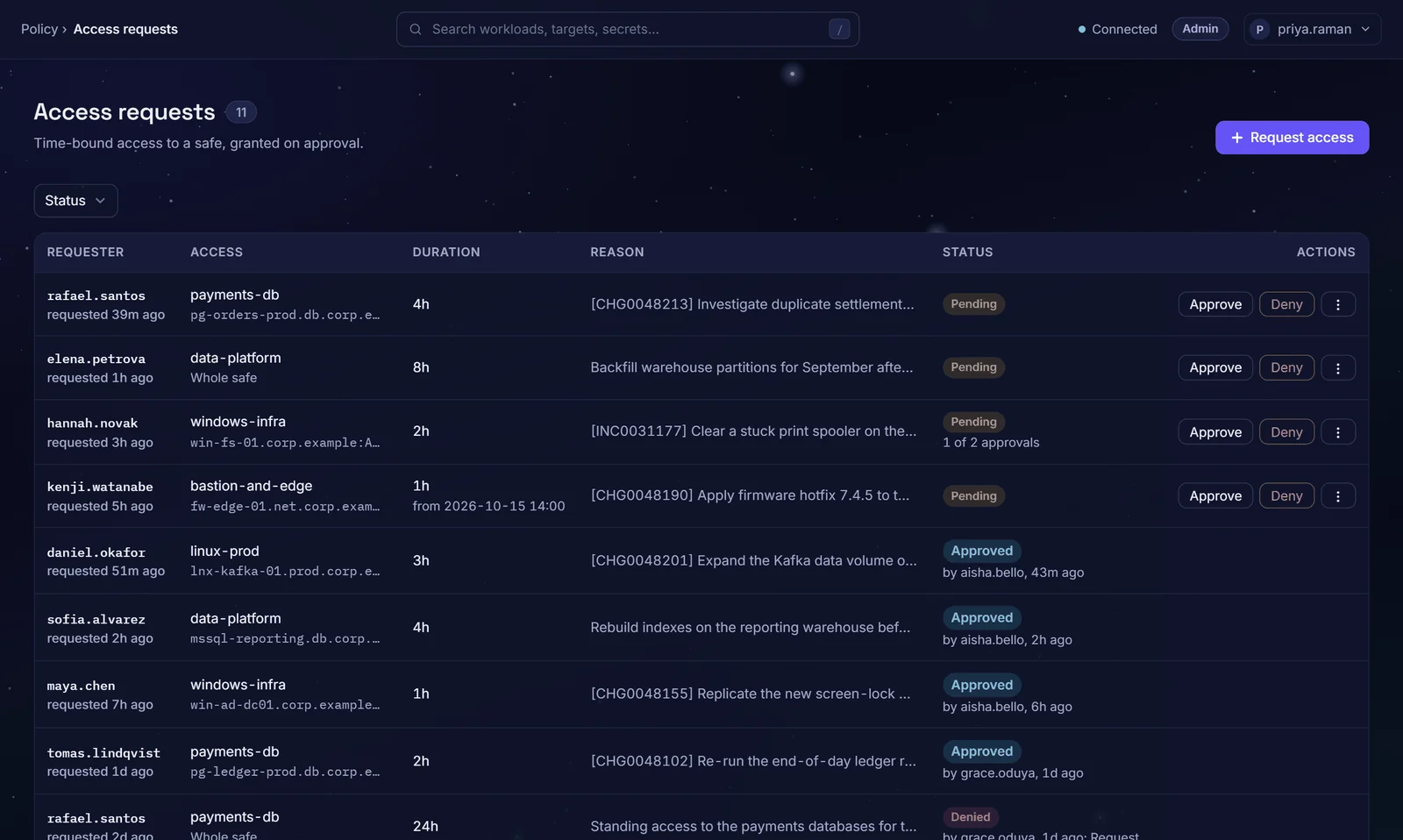
Access requests with tickets, durations, approval chains and decisions.
Vault, rotate and verify what cannot be removed yet
Root, Administrator and database passwords sit in spreadsheets and scripts. Zerostand puts them in safes, rotates them on a schedule and proves each one still works.
- Rotated natively on Linux, Windows, PostgreSQL, MySQL, SQL Server and Oracle; local accounts, not domain accounts, in this release
- Verified after every rotation, reconciled when a target drifts, with a transcript of every step
- Policy per platform, overrides per account; unusual targets through a drop-in handler run by the Zerostand Runner
Related controls: ISO/IEC 27001 A.5.17 · NIST IA-5 · PCI DSS 8.6.3 · APRA · credential strength
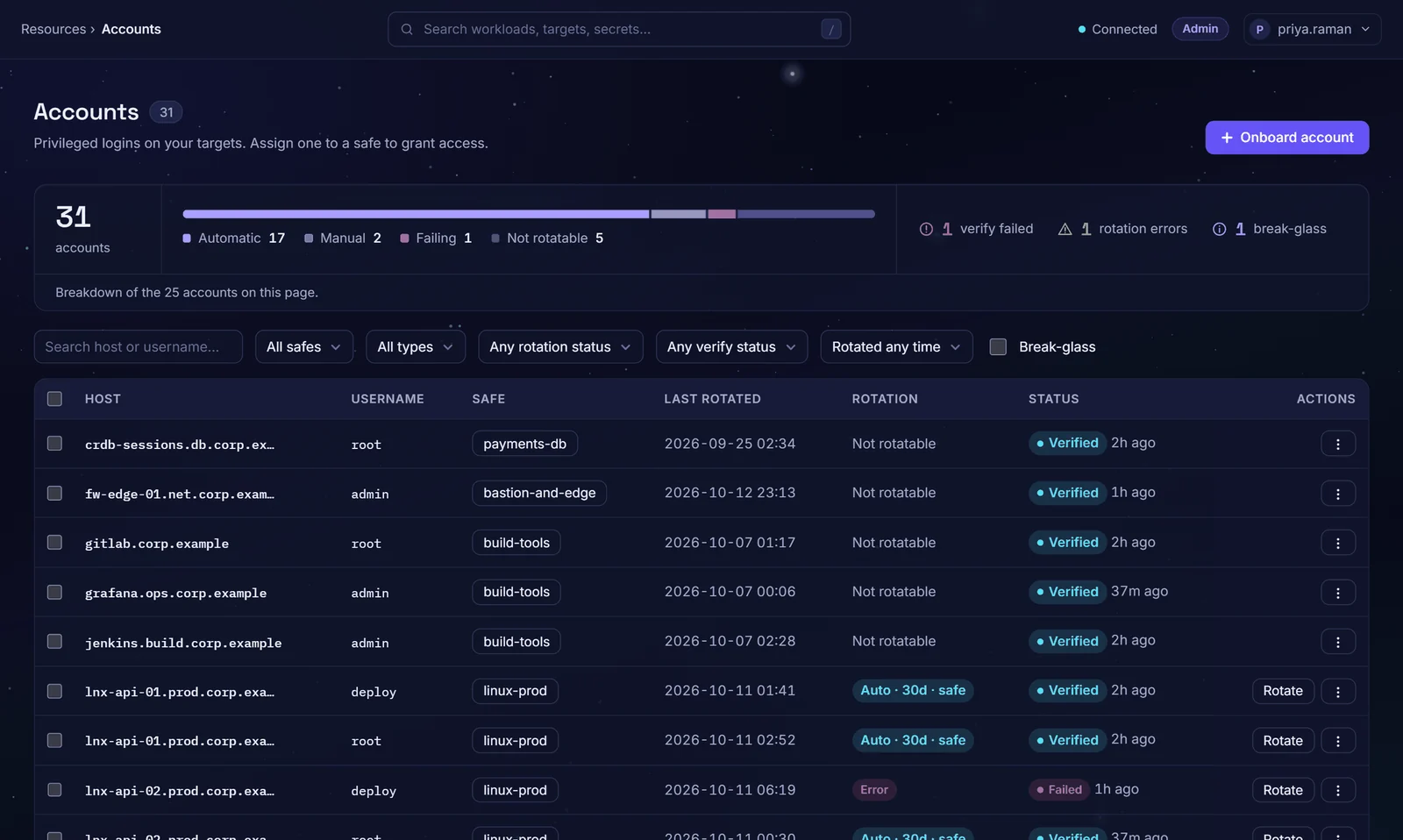
Vaulted accounts with rotation policy and verify status, failures included.
Every privileged session, brokered and recorded
The log says Administrator signed in, and nothing more. Zerostand brokers the session, signs the user in without showing the password, and records what happened under that person's own name.
- SSH, RDP, database and web sessions recorded by default and replayable, with retention you set
- Recorded database sessions for PostgreSQL, with partial coverage of MySQL, and SQL statements logged through the gateway
- Watch SSH sessions live; terminate any session
Related controls: ISO/IEC 27001 A.8.15 · NIST AU-14 · PCI DSS 10.2.1.2 · RBI Para 105
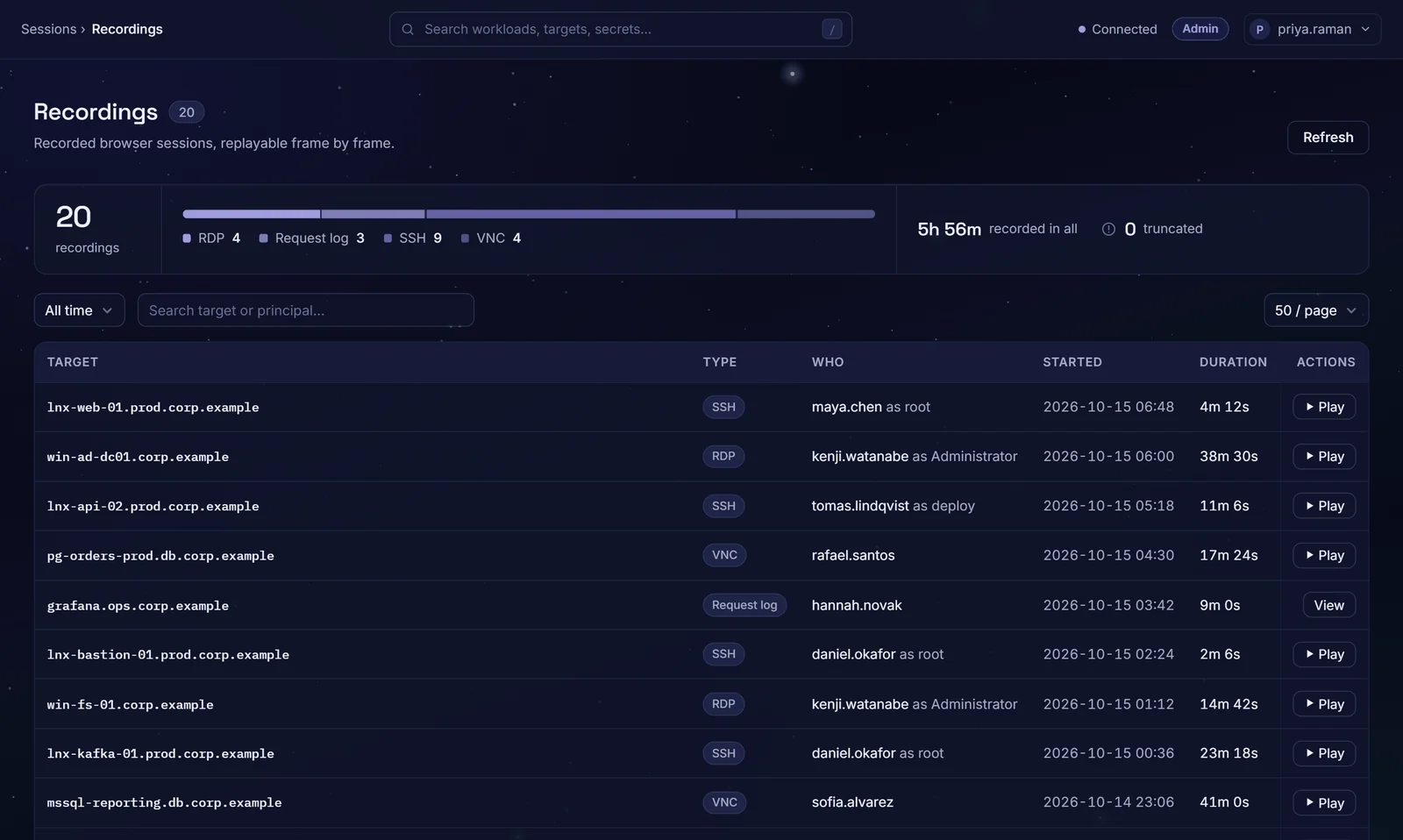
Recorded sessions: who, as which account, when and for how long.
Services prove who they are; no secret shipped first
A service starts with a password in an environment variable, copied before it even runs. With Zerostand a workload attests with the identity its platform already gives it and receives a credential that expires.
- Attestation for Kubernetes, AWS, Azure and Google Cloud, plus one OIDC issuer per deployment, such as your CI
- Short-lived JWT credentials, one-time database logins and Kubernetes tokens; the Go client refreshes before expiry
- Trust rules enrol a whole fleet at once, under the same policy and audit as people
Related controls: ISO/IEC 27001 A.5.16 · PCI DSS 8.6.2 · MAS TRM 9.2.2
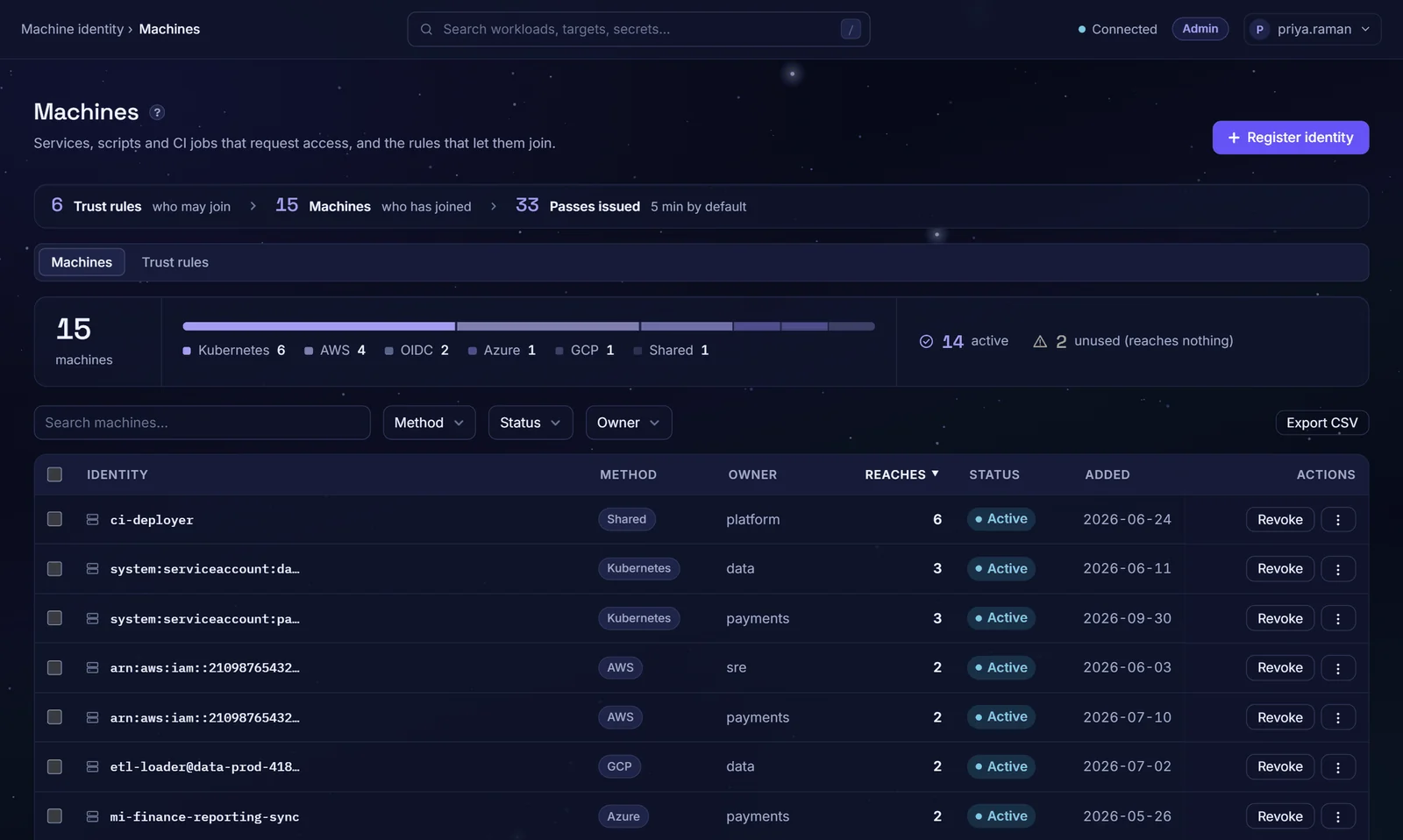
Machines and the trust rules that let them join, by attestation method.
Break-glass that is capped and audited
Break-glass accounts are shared and rarely reviewed, because the alternative is being locked out. Zerostand keeps emergency access open to the people you pre-list, caps it in time and records every use.
- Online break-glass for one pre-listed person: a reason required, a time cap per safe, step-up MFA when that person has enrolled it, and its own audit event
- Administrators notified by email on every use; break-glass accounts kept out of the rotation that follows a reveal, so they stay usable
- For the worst case, a sealed offline export of the break-glass accounts, encrypted to offline keys your security team holds; any one listed key opens it, so guard the keys accordingly
Related controls: NIST AC-2(2) · HIPAA § 164.312(a)(2)(ii) · DORA RTS Art. 21(e)(ii) · BNM RMiT S 10.54(e)
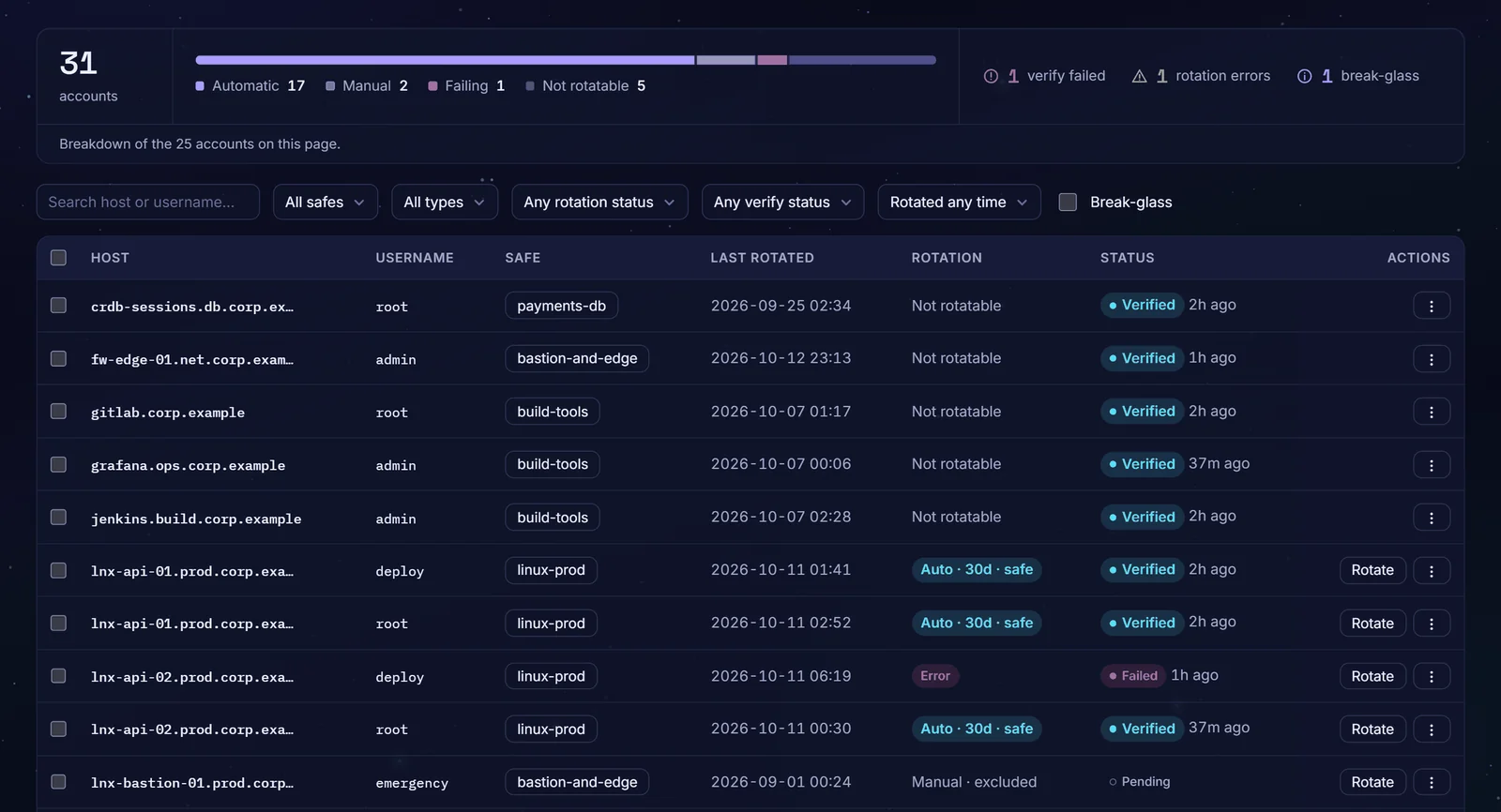
Accounts with the break-glass count and filter; the emergency account is excluded from scheduled rotation.
Vendor access that ends with the job
Contractor access outlives the contract, and nobody can say what was done with it. Zerostand gives vendors the same time-boxed, recorded access as staff, invited by your team.
- Vendors are invited by your team, as local users or through your identity provider; there is no vendor self-service onboarding in this release
- The same requests, approvals, windows and MFA as staff, so the access ends on its own
- Every vendor session recorded by default and tied to the named person; recertification covers vendor accounts too
Related controls: NIST AC-17 · PCI DSS 7.2.4 · MAS TRM 9.1.8
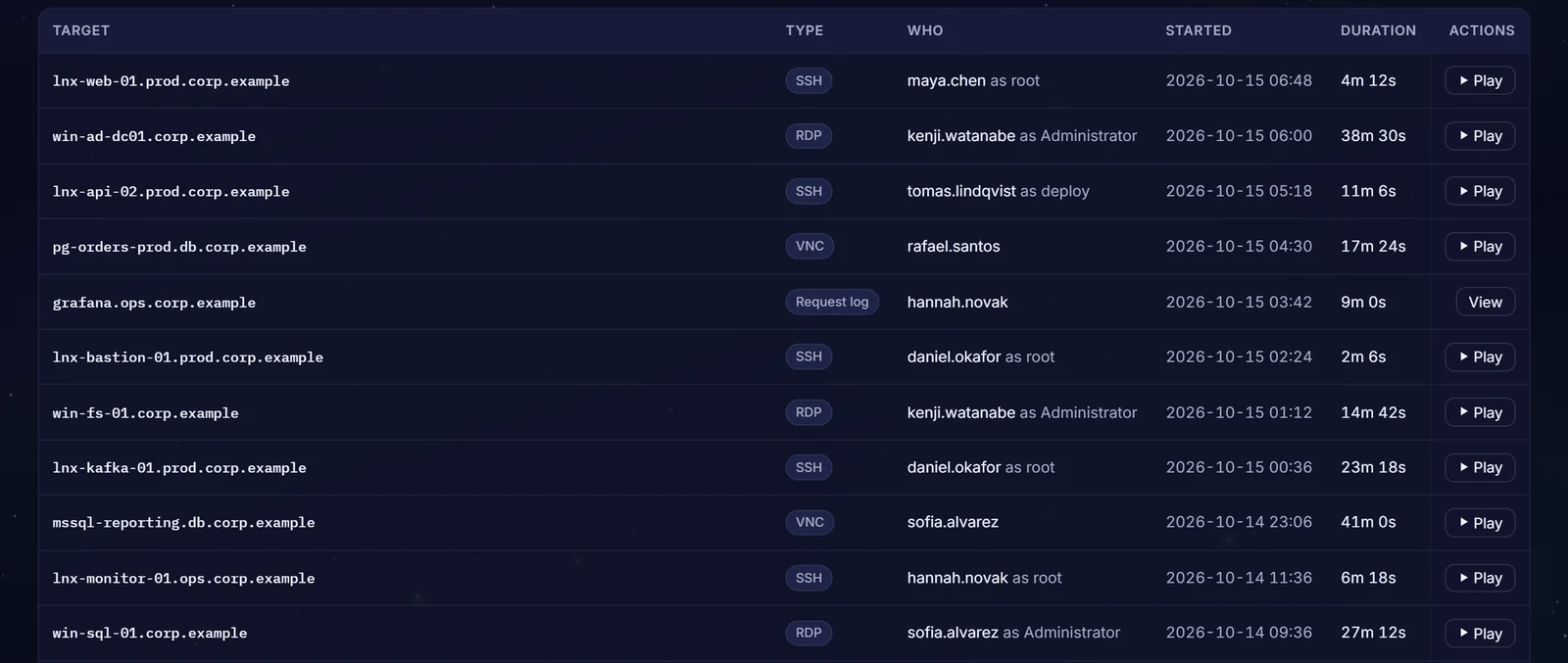
Recorded sessions, each tied to the person who connected and the account they used.
Find what is unmanaged, recertify what remains
An auditor asks who can reach what, and the answer is a spreadsheet built from six systems. Zerostand finds the accounts outside any safe, reviews what is granted and exports the evidence.
- Discover accounts on Linux, Windows, PostgreSQL, MySQL, SQL Server, Oracle and FortiGate targets, and bring them under a safe
- Recertification campaigns with reminders, escalation and exportable evidence of every decision
- Posture findings for orphaned, stale, over-privileged and ungoverned accounts, plus an access graph and an entitlements report
Related controls: ISO/IEC 27001 A.5.18 · DORA RTS Art. 21(e)(iv) · BNM RMiT S 10.56 · APRA · inventory
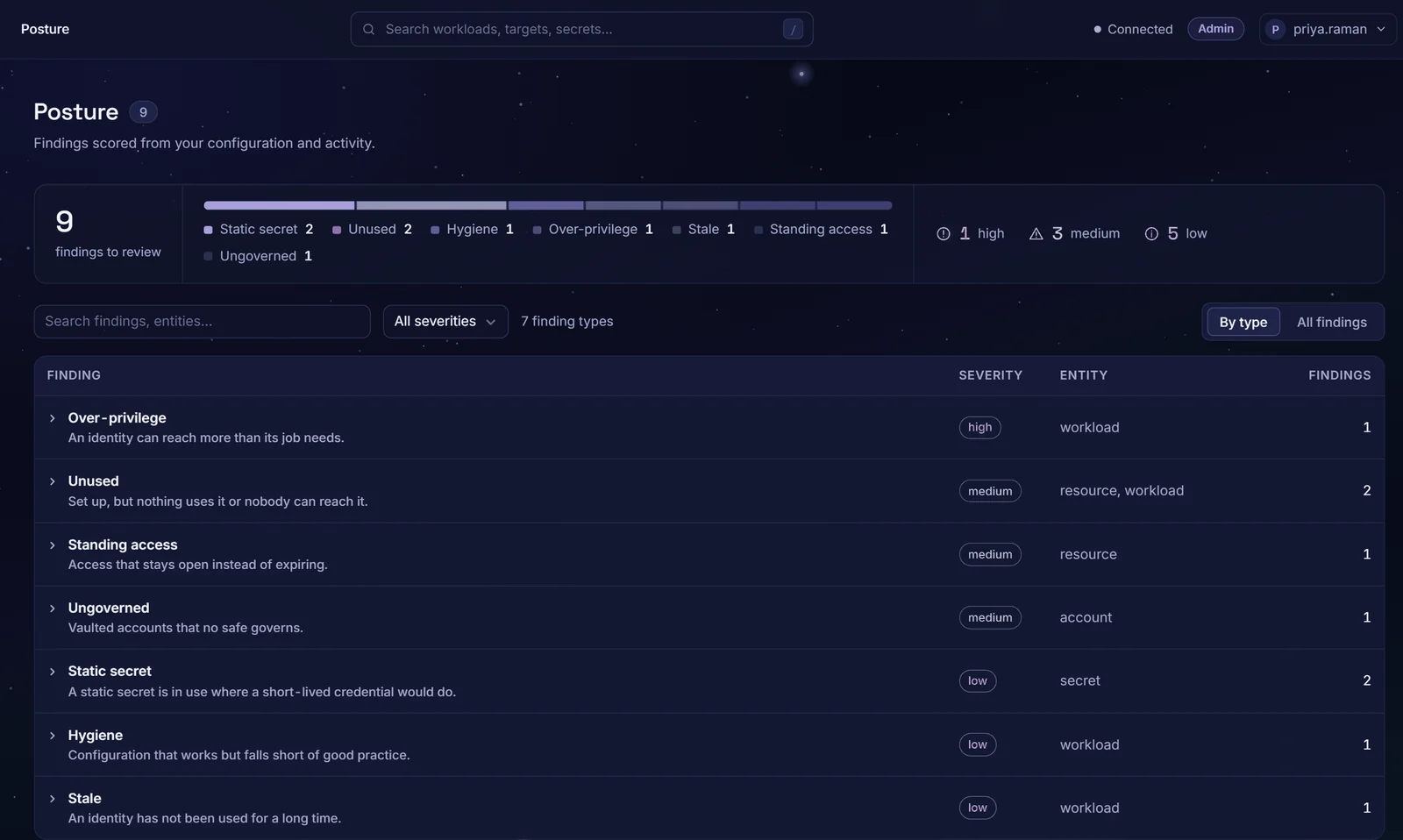
Posture findings: over-privileged, unused, standing, ungoverned and stale, scored by severity.
Controls mapped, framework by framework
Each use case above names the controls it supports. The compliance page lists them all, control by control, in supports-wording only; whether a control is met depends on how you run it.
ISO/IEC 27001:2022
Annex A controls on access, identity, authentication and logging.
View mapping →SOC 2
AICPA Trust Services Criteria, common criteria CC6 and CC7.
View mapping →PCI DSS v4.0.1
Requirements 7, 8 and 10: access review, authentication and audit logging.
View mapping →DORA
RTS 2024/1774, Article 21: access control for EU financial entities.
View mapping →NIS2
Directive Article 21(2) and the implementing regulation on privileged accounts.
View mapping →BNM RMiT, MAS TRM, RBI and APRA
Asia-Pacific financial regulators, each with the instrument and edition it cites.
View mappings →Protect the systems regulators name
Core banking, payment systems and cardholder data, with the access controls examiners commonly focus on.
- Third-party access that outlives the contract
- Shared administrator accounts nobody can attribute
- Service accounts that nobody owns
Mapped control by control for BNM RMiT, MAS TRM, PCI DSS, DORA and RBI.
- BNM RMiTS 10.54(c) · time-bound access
- MAS TRM9.2.2 · system and service accounts
- PCI DSS8.6.1 · attributable use of system accounts
- DORA RTSArt. 21(e)(ii) · need-to-use privileged access
- RBI 2026para 105 · elevated users supervised, logged and reviewed
Five of the controls on the compliance page. Zerostand supports them; whether they are met depends on how you configure and run it. Not legal advice; see the full notice on the compliance page.
Production access without standing keys
Databases, Kubernetes and pipelines reached with credentials that expire, and the evidence your auditor needs.
- Standing production access for engineers
- Static secrets in pipelines and pods
- SOC 2 and ISO/IEC 27001 evidence gathered by hand
A workload reaching a database with a credential that expires.
Prove it on your own systems
Four weeks, one or two servers and a database. You keep the evidence.