Third-party access
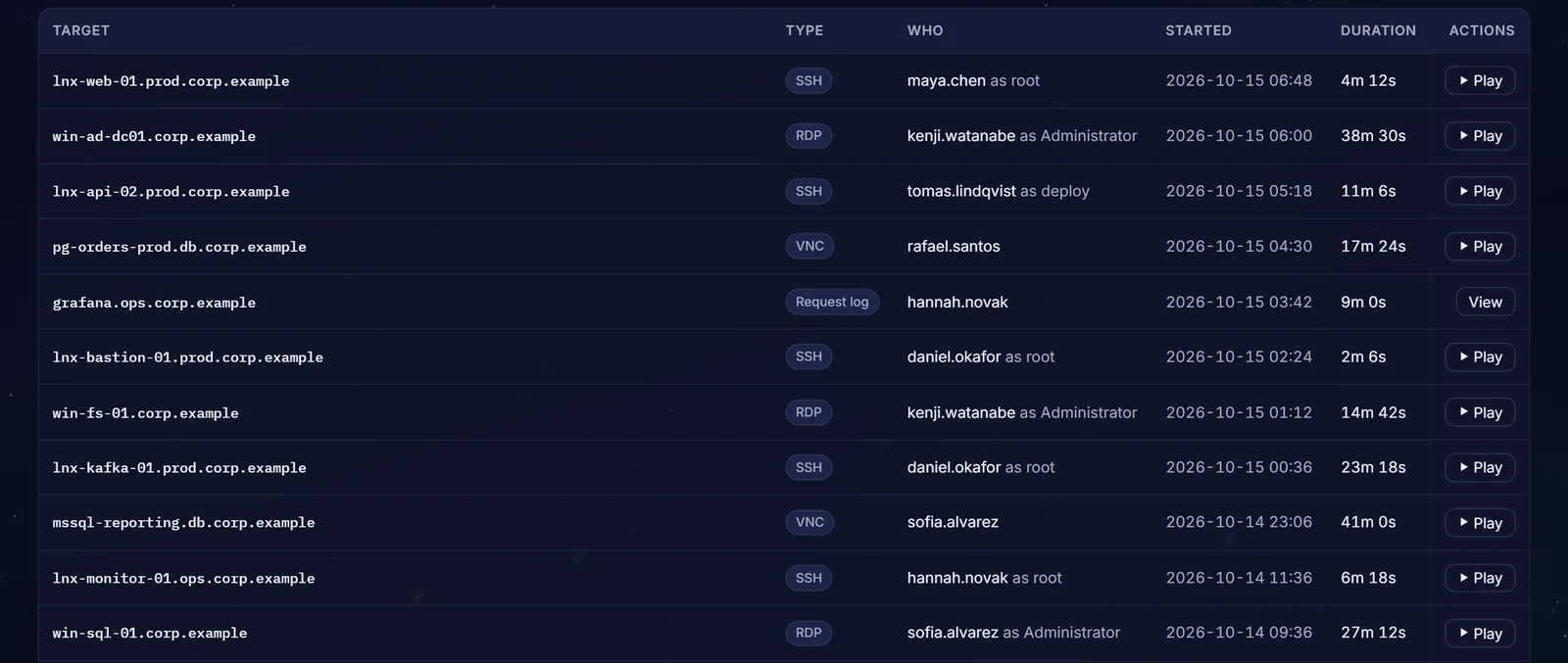
Give vendors and contractors access for a window your team approves; SSH, RDP and web sessions are recorded by default and database statements logged. When the window ends, so does the grant.
Vendor access is the access nobody owns
Shared vendor logins
One VPN account serves the vendor's whole team, so the log cannot name who connected.
Access outlives the contract
The engagement ends, but the account and the route into your network stay open.
No record of the work
When something breaks after a vendor visit, nobody can show what was done.
30%of breaches in the 2025 DBIR involved a third party. Source: Verizon 2025 Data Breach Investigations Report.
From a shared login to a named, recorded window
| Shared vendor access | With Zerostand | |
|---|---|---|
| Who signs in | One account for the vendor's team. | Each person you add signs in as their own user. |
| What they reach | A VPN route into the network. | Sessions through Zerostand, to the safe or account they were approved for. |
| Passwords | Told to the vendor. | On RDP, web and database sessions on a vaulted account, Zerostand signs in for them. |
| When it ends | When someone remembers to disable the account. | When the window ends; open sessions on it are cut within 30 seconds. |
| The record | Little or none. | SSH, RDP and web sessions recorded by default and database statements logged, each tied to the person who connected. |
The controls behind it
Grants that end
Each grant ends at a set time, at most 30 days out.
Learn more →An approver decides
An approver for the safe, or an Admin, decides each request; never the requester.
Learn more →A ticket with each request
A safe can require a ticket reference on every request.
Learn more →Sessions with a time limit
A session ends after four hours by default, or the limit you set.
Learn more →Rotated after it is shown
A shown password is rotated after a grace period you set, where Zerostand can rotate it.
Learn more →Access reviews
A review you open asks each safe's owner, or an Admin, to keep or revoke each person's access.
Learn more →From request to expiry
Add the vendor
Your team adds each person as a user, locally or from your identity provider.
Scope the access
Put the accounts they work on in a safe and name its approvers.
Request and connect
They ask for a window; once approved, they connect through Zerostand.
Access ends
When the window ends the grant authorizes nothing, and any session still open on it is cut.
Questions buyers ask
Does the vendor see our passwords?
Not to connect. Zerostand signs in on RDP, web and database sessions on a vaulted account, and Linux logins use a short-lived certificate. Showing a password needs a stated reason and is audited, and a safe that allows only browser sessions refuses it.
Do vendors need VPN access?
Not to your servers. A session runs through Zerostand, which connects to the target itself, so the vendor needs a route to Zerostand, not to the target. It runs on your infrastructure; how you publish it is your decision.
Can we watch what they do?
Yes. SSH, RDP and web sessions are recorded by default and can be replayed, and each statement from a database tool is written to the audit trail. A live SSH session can be watched as it runs, and live sessions can be ended from the console.
How do vendors sign in?
Your team adds each one: as a local user, or from your identity provider through OIDC single sign-on or SCIM. Vendors cannot sign themselves up. MFA can be required for a local user, for single sign-on, and when connecting to the servers you choose.
What happens when the contract ends?
Grants end on their own. Disabling the user signs them out and cuts their open sessions within 30 seconds, as does a SCIM deactivation.
See it on your own systems
Four weeks on your own servers and a database.